
QR code to the Swiss standard
IBAN, amount, currency, message and reference laid out the way the Swiss QR-bill prescribes, with the Swiss cross in the middle of the code.
Android · Swiss QR-bill standard · works without network
Enter the payee's IBAN, name and an amount — the app builds the Swiss QR code from it. They scan it off your screen, or you share the payment part as a PDF. Everything stays on the device.
Everything a payment needs — and nothing beyond it. No subscription, no bookkeeping, no account.
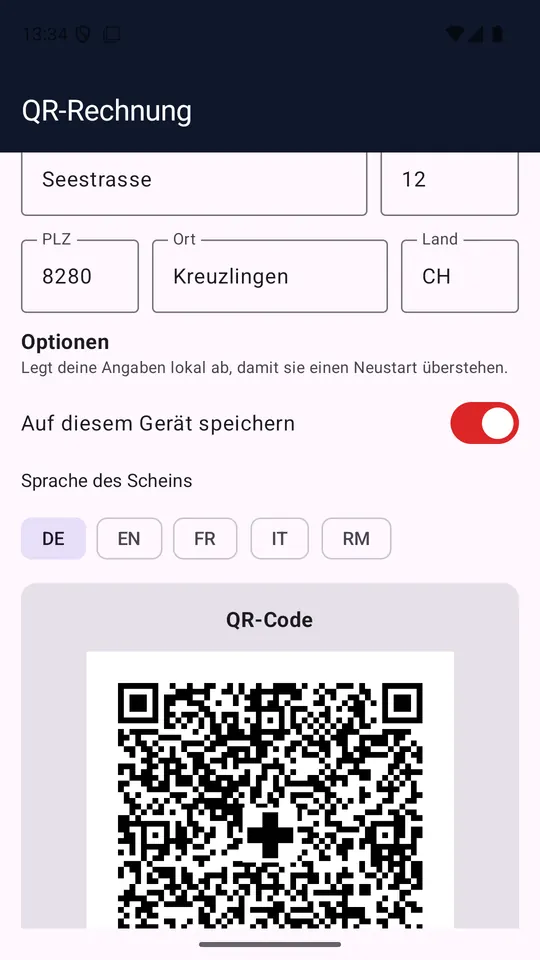
IBAN, amount, currency, message and reference laid out the way the Swiss QR-bill prescribes, with the Swiss cross in the middle of the code.
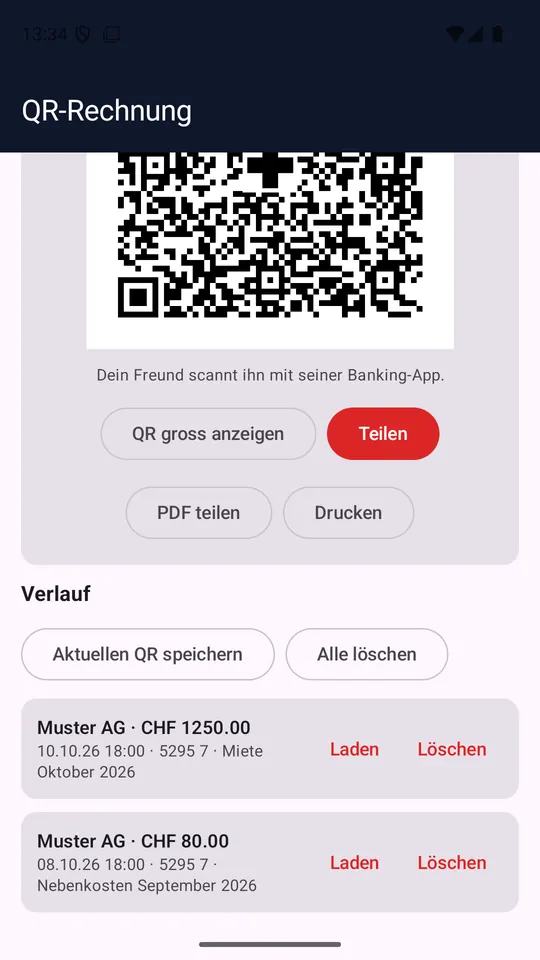
One tap on "Show QR full screen" and the code fills the display — easy for any banking app to pick up.
The payment part is produced as a PDF at 210 × 105 mm, placed on an A4 page — ready to share, send on, or print, receipt included.
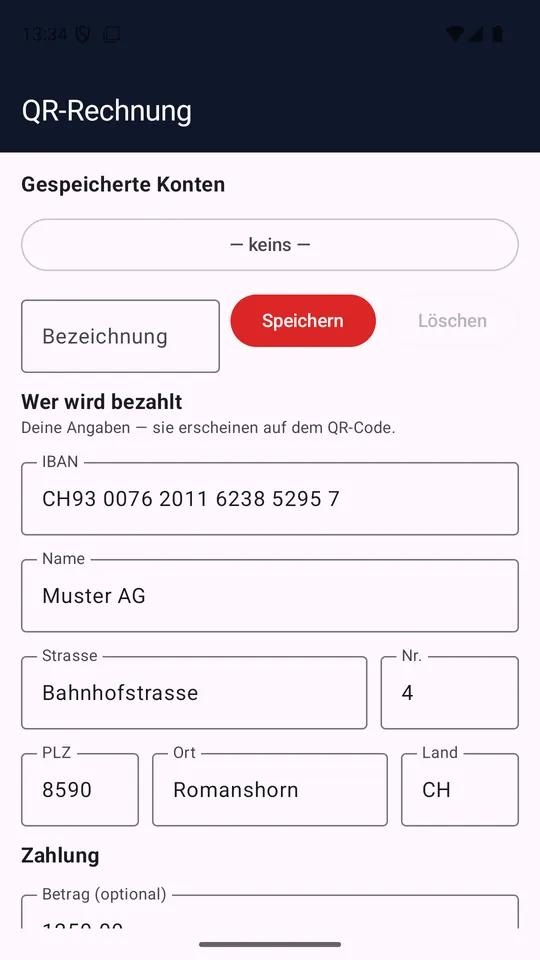
Recurring payments are kept as accounts: enter them once, afterwards a tap on the name is all it takes.
The bills you created recently stay in a list. Tapping one puts its details back into the form; single entries or the whole list can be cleared.
The printed payment part comes in German, French, Italian, English or Romansh — whichever the recipient reads, whatever language the app runs in.
The form is a single page, top to bottom: accounts, payee, payment, options.
The IBAN plus the payee's name and address. The IBAN is checked before anything is created — for accounts in Switzerland and Liechtenstein.
The amount is optional: leave it out and the field stays open in the QR code, letting the person paying fill it in.
Let them scan the QR code off the screen, pass the payment part on as a PDF, or put it on paper. What leaves the device is your decision.
One form, one result screen, one QR code. The screenshots show the app in German; it also runs in English, French and Italian.
The app creates payment QR codes. It is not a payment service — not a limitation, but the line where responsibility stays with you.
There is no link to a bank, no account inside the app and no debit. The code it produces is an instruction that the person paying carries out in their own banking app. Check the IBAN and the amount before you pass a bill on.
Short answers — technically correct, not sales copy.
No. It does not even hold the internet permission: the app's manifest lists no permission at all. It could not transmit anything even if it wanted to.
Into the app's private storage on your device. We have no server they could reach. Storage can be switched off in the options, and switching it off deletes what was stored. Because the app allows Android backups, a device backup may contain that file — if you do not want that, turn off backup on the device.
The code follows the structure of the Swiss QR-bill: IBAN, currency, amount and either message or reference in the fields the standard provides. The printed payment part measures 210 × 105 mm and sits with its receipt at the bottom of an A4 page — the way a bank expects it.
Nobody but you and the people you hand the QR code or the PDF to. There is no account, no sign-up and no reporting — not even to us.
The interface comes in German, English, French and Italian. The printed slip additionally comes in Romansh, because that is one of the languages of the Swiss payment standard.
No. It is free, with no premium tier, no subscriptions and no in-app purchases.